macOS Tahoe 26.5 Beta 1: WindowServer Overhaul, Siri Delayed to macOS 27 & Complete Guide to What's New
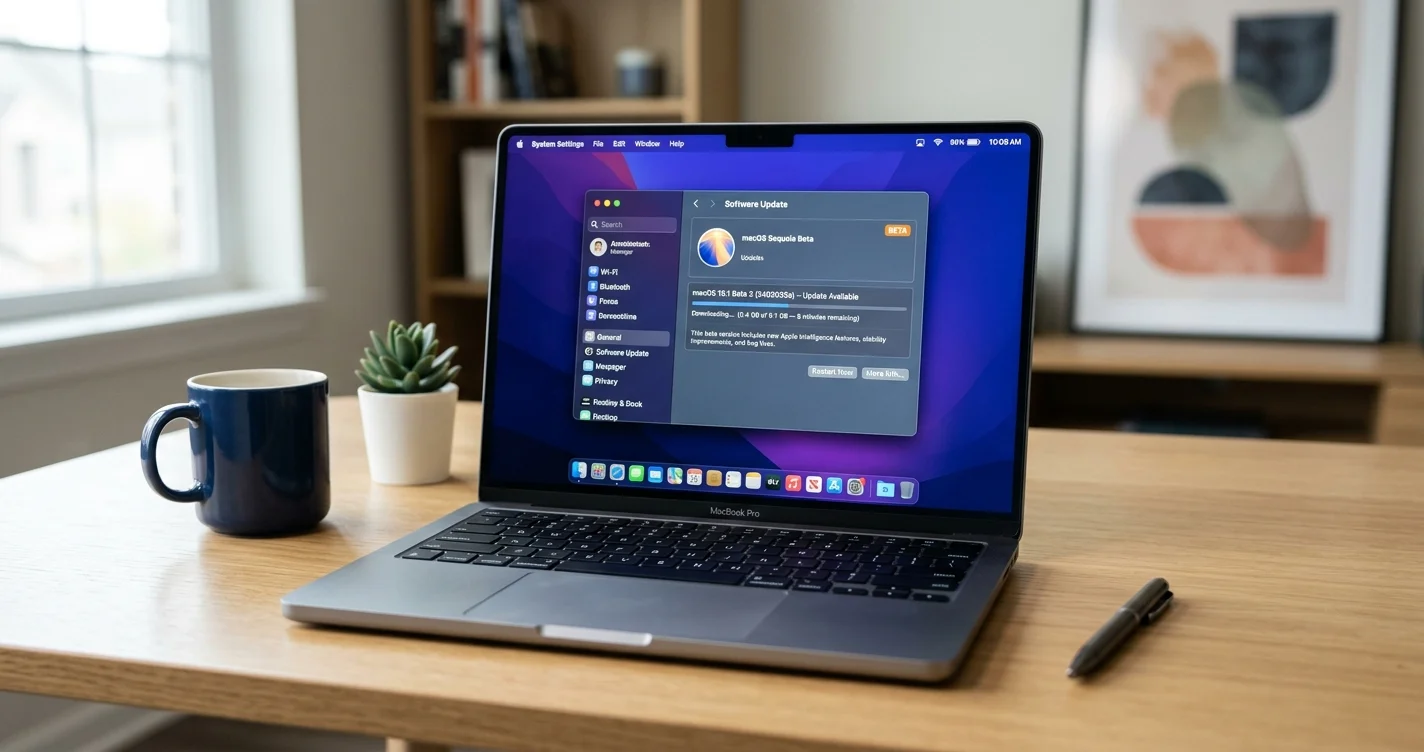
Complete guide to macOS Tahoe 26.5 Beta 1 released March 30, 2026. WindowServer performance gains, rewritten SMB client, new App Intents APIs, and why Siri features are delayed to macOS 27.
Apple released the first developer beta of macOS Tahoe 26.5 on March 30, 2026 — just six days after shipping macOS 26.4 to the public. While the rapid turnaround might suggest a minor maintenance release, the reality is far more interesting. Under the hood, macOS 26.5 introduces significant infrastructure changes that signal how Apple intends Macs to work heading into WWDC 2026 this June.
Key Takeaways
- macOS 26.5 Beta 1 (build 25F5042g) released to developers on March 30, 2026
- WindowServer overhaul delivers improved frame pacing and reduced external display latency, especially on M4/M5 hardware
- Completely rewritten SMB client stack addresses years of network file sharing frustrations
- New App Intents APIs let third-party apps expose multi-step workflows to Siri and Spotlight
- New AI preference pane gives users granular control over local vs. cloud AI processing
- No new Siri features — the promised Siri chatbot and advanced capabilities are delayed to macOS 27 (September 2026)
- Expected final release: Late May 2026, before WWDC on June 8
This is likely the last major macOS Tahoe update before Apple announces macOS 27 at WWDC 2026. Here's everything you need to know.
What Is macOS 26.5 and Why Does It Matter?
macOS Tahoe 26.5 is the fifth point release in the macOS 26 cycle. While previous updates like 26.4 focused on user-facing features such as Safari's compact tab bar and the battery charge limit, 26.5 takes a different approach. This update prioritizes infrastructure and performance — the kind of foundational work that benefits every app and workflow on your Mac.
Think of it this way: macOS 26.4 gave you new features to click on. macOS 26.5 makes everything you already do faster and more reliable.
The Release Timeline
| Date | Event |
|---|---|
| March 24, 2026 | macOS 26.4 released to public |
| March 30, 2026 | macOS 26.5 Beta 1 released to developers |
| Early-mid April 2026 | Public beta expected |
| Late May 2026 | Expected final release |
| June 8, 2026 | WWDC 2026 keynote (macOS 27 announcement) |
The tight timeline between 26.4 and 26.5 beta suggests Apple has been developing these improvements in parallel for months, with 26.5 serving as the stable foundation for the transition to macOS 27.
WindowServer Performance Overhaul
The most technically significant change in macOS 26.5 is a major update to WindowServer — the core macOS process responsible for compositing every pixel you see on screen. WindowServer manages window drawing, display output, input event routing, and the entire visual pipeline from app to display.
What Changed
Multiple developers testing the first beta have reported noticeable improvements in two key areas:
Improved frame pacing: The timing between rendered frames is more consistent, resulting in smoother animations, scrolling, and window resizing. This addresses a long-standing complaint where macOS could feel "janky" compared to iPadOS on the same hardware, particularly during Stage Manager transitions and window tiling operations.
Reduced external display latency: Response times when driving external monitors have improved measurably. This is particularly notable on M4-generation MacBook Pro and Mac Studio hardware, where some users had reported subtle input lag when using high-resolution external displays.
Why This Matters for Everyday Use
You might think WindowServer changes only matter to developers measuring frame times with instruments. In practice, these improvements affect:
- Scrolling smoothness in Safari, Finder, and every app
- Window resize responsiveness — dragging window edges should feel more immediate
- Multi-display workflows — less perceptible delay when moving windows between screens
- Mission Control and Spaces — smoother transitions when switching desktops
- Liquid Glass rendering — the translucency effects that define macOS Tahoe's visual identity
The WindowServer improvements also align with persistent rumors that Apple is preparing the ground for new display hardware later this year. With the Studio Display XDR already shipping and a rumored Pro Display successor in development, optimized display output makes strategic sense.
Technical Details for Developers
If you're developing Mac apps, the WindowServer changes in 26.5 are worth testing against:
- CADisplayLink accuracy: Frame callbacks should arrive with more consistent timing
- Metal rendering pipeline: Reduced overhead in the compositor's Metal-based rendering path
- ProMotion support: Better frame pacing on variable refresh rate displays (Pro Display XDR, iPad as display)
- Multiple display configurations: Improved handling of mixed-resolution, mixed-refresh-rate setups
Developers should test their apps on 26.5 beta, particularly if they use custom drawing, Core Animation-heavy interfaces, or real-time content (video players, creative tools, games).
Rewritten SMB Client Stack
If you've ever connected your Mac to a Windows file server, a NAS, or a network share at work and wanted to throw your computer out a window, macOS 26.5 is for you.
Apple has completely rewritten the SMB client stack in macOS 26.5 — a ground-up rebuild of the code responsible for connecting to network file shares using the SMB (Server Message Block) protocol.
The Problem This Solves
macOS's SMB implementation has been a persistent pain point for years. Common complaints include:
- Dropped connections: Finder losing connection to network volumes mid-transfer
- Slow directory enumeration: Waiting seconds (sometimes minutes) for large folders to list their contents
- Time Machine over SMB failures: Backup corruption and unreliable Time Machine backups to network destinations
- Authentication issues: Frequent password prompts when accessing corporate shares
- Metadata performance: The notorious
.DS_Storeand._AppleDoublefiles causing slowdowns on SMB shares - Wake from sleep disconnects: Network volumes going offline after the Mac wakes from sleep
These issues affected everyone from home users with a Synology NAS to enterprise environments running Windows Server file shares.
What the Rewrite Addresses
Early testing of macOS 26.5 beta suggests substantial improvements:
Faster directory listing: Browsing network folders in Finder is noticeably quicker, especially for directories containing thousands of files. The new client appears to use more aggressive prefetching and caching.
More reliable connections: The new SMB stack handles network interruptions more gracefully. Instead of immediately dropping a volume when the connection hiccups, it attempts transparent reconnection.
Time Machine over SMB: Multiple testers report that Time Machine backups to SMB destinations (NAS devices, Windows Server shares) are working more reliably. This has been one of the most requested fixes in the macOS ecosystem.
Improved compatibility: Better interoperability with third-party SMB implementations, including those used by Synology, QNAP, and open-source Samba servers.

Who Benefits Most
| User Type | Impact |
|---|---|
| Home users with NAS | High — more reliable file access and Time Machine backups |
| Creative professionals | Very high — large file transfers (video, RAW photos) over network |
| Enterprise Mac users | Critical — corporate file server connectivity |
| Developers | High — accessing code repositories and build artifacts over network |
| Home lab enthusiasts | High — mixed Mac/Windows/Linux environments |
Practical Advice
If you rely on network file shares, the SMB rewrite alone may be reason enough to update to 26.5 when it releases. However, note two caveats:
- Beta software: Don't switch your production NAS workflow to the beta. Wait for the public release.
- Third-party network filters: Some VPN and security software that hooks into the network stack may need updates for compatibility with the new SMB client. If you use corporate VPN software, check with your IT department before updating.
Expanded Apple Intelligence & New AI Preference Pane
macOS 26.5 expands Apple Intelligence capabilities in two meaningful ways: enhanced multi-step actions and user-facing privacy controls.
Multi-Step Siri Actions Across Apps
Siri can now perform chained actions that span multiple first-party apps without requiring you to switch contexts manually. Examples include:
- Calendar → Mail: "Compose an email summarizing my meetings this week" — Siri pulls data from Calendar and drafts the email in Mail
- Notes → Keynote: "Create a presentation from my project notes" — Siri extracts structured content from Notes and populates Keynote slides
- Finder → Mail: "Send the latest quarterly report to my team" — Siri locates the file and attaches it to a new email
These multi-step actions work across Apple's own apps in the beta. Third-party app support is coming through the new App Intents APIs (more on that below).
New AI Preference Pane
The 26.5 beta introduces a new section in System Settings that gives users granular control over AI processing:
- Choose which types of Apple Intelligence tasks stay on-device (processed locally using the Neural Engine)
- Choose which tasks can use Private Cloud Compute (Apple's secure cloud AI infrastructure)
- View a log of recent AI processing requests and where they were handled
- Set per-app preferences for AI behavior
This addresses growing privacy concerns about AI processing. Power users and enterprise IT administrators can now enforce policies about where sensitive data is processed, without disabling Apple Intelligence entirely.
What's NOT Included
Despite the Apple Intelligence improvements, several highly anticipated features are missing from the 26.5 beta:
- No Siri chatbot app
- No conversational Siri interface
- No Gemini-powered responses
- No on-screen awareness (Siri understanding what's on your display)
These features have been definitively pushed to macOS 27. More on that in the Siri section below.
New App Intents APIs for Third-Party Developers
For developers, the most significant addition in macOS 26.5 is the expansion of the App Intents framework. This is the technology that lets apps expose their functionality to Siri, Spotlight, and Shortcuts.
What's New
macOS 26.5 introduces APIs that allow third-party apps to expose multi-step workflows to the system. Previously, App Intents were limited to single-action operations (e.g., "Create a new task in Todoist"). Now, apps can define sequences of actions that Siri can orchestrate.
Practical example: A project management app could let Siri:
- Create a new task
- Assign it to a team member
- Attach a file from Finder
- Set a due date based on the current sprint
All through a single natural language command.
Spotlight Integration
The App Intents framework now deeply integrates with Spotlight. Any action defined in an app's menu bar is automatically surfaced in Spotlight, creating a command-palette experience similar to what power users enjoy in apps like Raycast.
This means you can press ⌘ + Space, type an action like "create invoice," and see results from third-party apps that have adopted the new API — without installing any launcher utilities.
Timeline to Adoption
While the APIs are available in beta now, real-world adoption will take time:
| Phase | Timeline | What Happens |
|---|---|---|
| Beta testing | April–May 2026 | Developers test and iterate on their implementations |
| macOS 26.5 release | Late May 2026 | APIs become available to all users |
| Early adoption | June–August 2026 | Major apps (Todoist, Notion, Fantastical, etc.) ship updates |
| Broad adoption | Fall 2026+ | Wider developer ecosystem builds on the platform |
If you're a developer building Mac apps, now is the time to start planning your App Intents integration. Apple's developer documentation for the updated framework is available at developer.apple.com.
Where Is the New Siri? Delayed to macOS 27
This is the elephant in the room. Despite being announced with great fanfare and repeatedly promised throughout 2025 and 2026, the major Siri overhaul is nowhere to be found in macOS 26.5.
The Delay Timeline
| Date | What Apple Said |
|---|---|
| WWDC 2024 (June 2024) | Announced next-generation Siri with Apple Intelligence |
| Spring 2025 | Delayed — "Siri is not ready and needs more time" |
| Early 2026 | Targeted for iOS/macOS 26.4 |
| February 2026 | Delayed again — accuracy issues reported internally |
| March 2026 | Now targeting macOS 27 (September 2026) |
The pattern is clear: Apple has been unable to deliver the conversational Siri experience it promised. The delay from the original announcement to expected delivery represents approximately two years — an unusually long timeline even by Apple's standards.
What We're Missing
The promised Siri features that are NOT in macOS 26.5:
- Standalone Siri chatbot app — A dedicated app putting Siri on par with ChatGPT, Claude, and Gemini
- Conversational interface — Multi-turn conversations where Siri remembers context
- On-screen awareness — Siri understanding and acting on what's currently displayed
- Gemini-powered responses — Leveraging Apple's $1B/year partnership with Google for a 1.2 trillion parameter model
- Personal context — Siri drawing on your emails, messages, and files to provide personalized answers
The Apple-Google Gemini Factor
Behind the scenes, Apple's AI strategy has become deeply intertwined with Google. Recent reports reveal that Apple's deal with Google is "deeper than previously known":
- Apple pays approximately $1 billion per year for access to Google's Gemini model
- Apple has complete access to run the 1.2 trillion parameter model in its own data centers
- Apple can produce smaller on-device models derived from Gemini
- Privacy is maintained through on-device processing and Private Cloud Compute
- Apple retains freedom to mix its own models with Gemini outputs
The ambition is enormous, but the execution has proven challenging. Integrating a model of this scale while maintaining Apple's privacy standards and ensuring accuracy has taken longer than expected.
What This Means for Mac Users
If you've been waiting for a genuinely smart Siri on your Mac, you have two realistic options:
- Wait for macOS 27 (expected September 2026) — This is when Apple says the full Siri overhaul will arrive
- Use third-party alternatives now — AI coding tools like Claude Code and Cursor and general-purpose AI assistants like ChatGPT's Mac app already provide the conversational AI experience Apple hasn't delivered yet
The good news: when Siri does arrive in macOS 27, the foundation laid by 26.5's App Intents APIs and AI preference pane will make the experience significantly more powerful. The infrastructure is being built now; the user-facing features come later.
Additional Changes in macOS 26.5 Beta 1
Beyond the major features, the beta includes several smaller but noteworthy changes:
Maps Suggested Places
A new "Suggested Places" feature in Maps recommends locations based on trending places nearby and your recent searches. This mirrors the same feature arriving in iOS 26.5.
RCS End-to-End Encryption
Cross-platform encrypted messaging between iPhone and Android devices has been re-enabled and is now on by default. While primarily an iOS feature, this affects iMessage and SMS handling on Mac through the Messages app.
Magic Accessories Auto-Connect
When you connect a USB-C keyboard or other Magic accessory to your Mac, Bluetooth pairing now happens automatically. No more manual pairing dance for wired-first connections.
Developer and Enterprise Changes
- New options for selecting message attachment transfer timeframes when migrating devices (All, 1 year, or 30 days)
- Inuktitut keyboard layout added
- Ongoing improvements to Background Security Improvements (BSI) delivery mechanism
How to Install macOS 26.5 Beta 1
Important: This is beta software. Do not install it on your primary work machine. Use a secondary Mac or a dedicated APFS volume.
Requirements
- A Mac compatible with macOS Tahoe (Apple Silicon or supported Intel Mac)
- A free Apple Developer account (paid membership no longer required for betas)
- Sufficient storage space (at least 15GB free recommended)
- A current backup via Time Machine or another backup solution
Installation Steps
- Back up your Mac — This cannot be overstated. Use Time Machine, Carbon Copy Cloner, or another full-system backup tool
- Open System Settings → General → Software Update
- Click the ⓘ (info) icon next to Beta Updates
- Select macOS Developer Tahoe Beta from the dropdown menu
- Click Done
- The 26.5 beta should appear as an available update
- Click Update Now and follow the on-screen instructions
The update is approximately 3-4GB depending on your current macOS version. Installation typically takes 20-30 minutes.
Should You Install the Beta?
| User Type | Recommendation |
|---|---|
| Developers needing to test App Intents | Yes — start integrating now |
| Users frustrated with SMB/network issues | Maybe — test on non-production Mac |
| General users wanting new features | No — wait for public beta or final release |
| Enterprise IT administrators | No — wait for final release and test in staging |
macOS 26.5 vs. Previous Releases
Here's how 26.5 fits into the macOS Tahoe update cycle:
| Version | Release Date | Focus | Key Features |
|---|---|---|---|
| 26.0 | Sept 15, 2025 | Launch | Liquid Glass UI, Apple Intelligence basics |
| 26.1 | Nov 2025 | Stability | GPT-5 integration, Liquid Glass customization, battery fixes |
| 26.2 | Jan 2026 | Features | Edge Light, Thunderbolt 5 Clustering, security updates |
| 26.3 | Feb 2026 | Fixes | M5 MacBook Pro support, design problem fixes |
| 26.4 | Mar 24, 2026 | Features | Safari compact tabs, battery charge limit, Rosetta 2 warnings |
| 26.5 | Late May 2026 | Infrastructure | WindowServer overhaul, SMB rewrite, App Intents expansion |
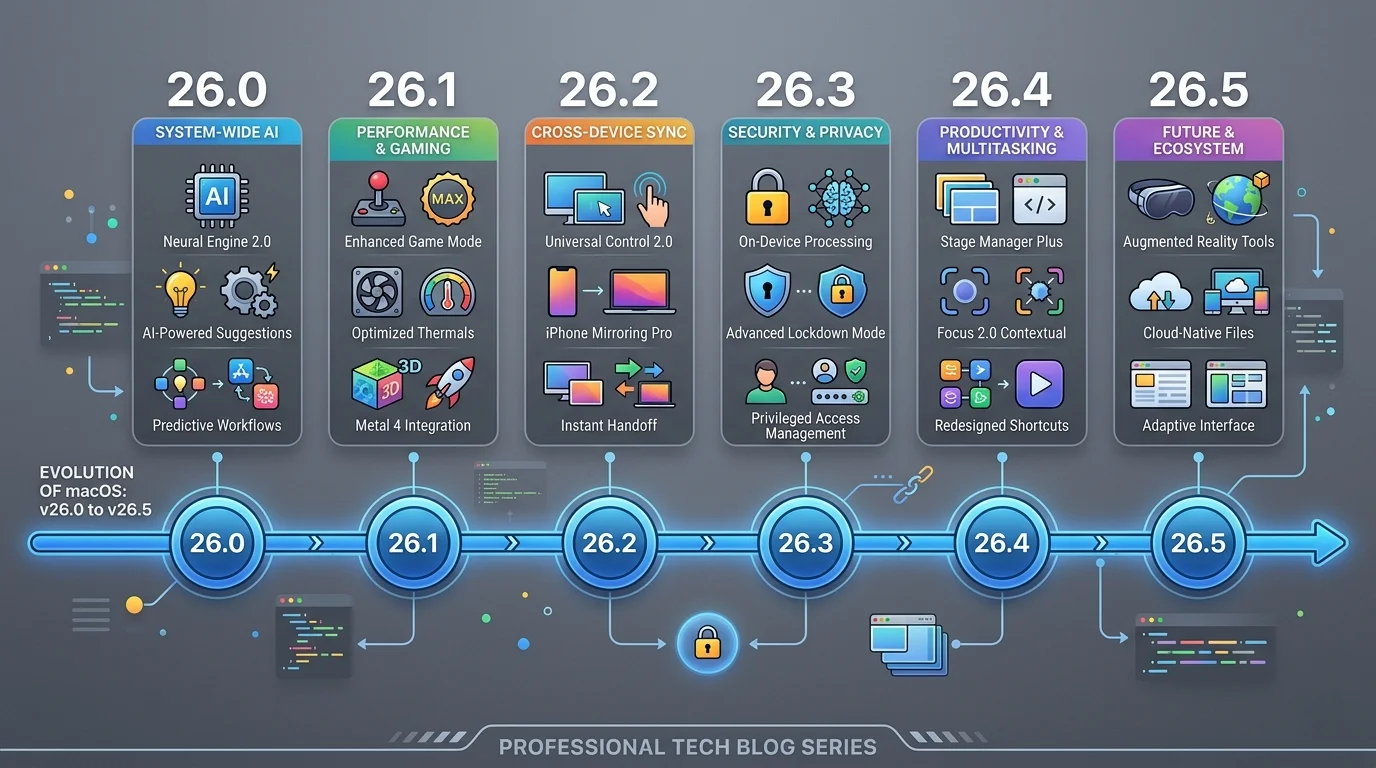
The pattern is clear: Apple alternates between feature-focused releases (26.2, 26.4) and stability/infrastructure releases (26.1, 26.3, 26.5). macOS 26.5 falls firmly in the infrastructure camp — less flashy, but arguably more impactful for daily productivity.
What Comes After: macOS 27 at WWDC 2026
macOS 26.5 is confirmed as the final major update in the macOS Tahoe cycle. After its release in late May, all eyes turn to WWDC 2026 on June 8, where Apple will unveil macOS 27.
What We Expect from macOS 27
Based on current rumors and reporting:
- "Snow Leopard" approach — Prioritizing stability and reliability over new features
- Intel Mac support dropped entirely — macOS 27 is expected to be Apple Silicon-only
- Touch-optimized macOS — Preparing for the rumored touchscreen MacBook Pro (late 2026)
- Core AI framework — Successor to Core ML, designed for next-generation on-device AI
- Standalone Siri chatbot app — The long-delayed conversational AI experience
- Liquid Glass adjustability — A system-wide slider to customize interface transparency and density
The infrastructure work in macOS 26.5 — the WindowServer improvements, the new App Intents APIs, the AI preference pane — all lay groundwork for these macOS 27 features. Apple is building the foundation now so the transition is smoother in September.
What macOS 26.5 Means for Different Users
Not every update matters equally to every Mac user. Here's a breakdown of what macOS 26.5 brings to different workflows:
For Creative Professionals
The WindowServer improvements directly impact your daily work. If you drive a Studio Display XDR or Pro Display XDR from a MacBook Pro, the reduced latency and improved frame pacing make color-critical work more responsive. Moving timeline scrubbers in Final Cut Pro or DaVinci Resolve should feel more immediate, and the Liquid Glass compositing that overlays your workspace runs more efficiently.
The SMB rewrite is equally important if you work with media servers. Video editors pulling 4K ProRes files from a NAS will see more reliable transfers with fewer dropped connections — a problem that has plagued professional Mac workflows since Apple rewrote its SMB stack in macOS 10.12.
For Software Developers
The new App Intents APIs open a significant opportunity. If you maintain a Mac app, you should start planning your integration now. Apps that adopt early will get prominent placement in Spotlight results and Siri suggestions when 26.5 launches, giving you a first-mover advantage before the macOS 27 Siri chatbot amplifies the impact.
The WindowServer changes also affect development tools. Xcode's interface scrolling, SwiftUI preview rendering, and Simulator performance all benefit from the improved compositor. If you've noticed subtle frame drops when resizing Xcode panels or scrolling through large source files, 26.5 should improve the experience.
Additionally, the rewritten SMB client is relevant for development teams that use network-mounted build caches, shared artifact repositories, or CI/CD output directories stored on NAS devices.
For Enterprise IT
macOS 26.5 delivers two things enterprise IT has been asking for:
-
Reliable SMB networking — The rewritten client stack addresses the connectivity issues that have made managing Mac fleets in Windows-dominant networks a constant headache. Group Policy-mapped network drives, DFS namespaces, and Kerberos-authenticated shares should all work more reliably.
-
AI processing controls — The new AI preference pane can be managed via MDM (Mobile Device Management) profiles. This means IT administrators can enforce policies about which Apple Intelligence features use cloud processing — a critical requirement for organizations with data residency or compliance obligations.
If your organization has been waiting to deploy macOS Tahoe due to network reliability concerns, 26.5 may be the release that gets the green light.
For Home Users
The improvements in 26.5 are less visible but still valuable. If you use a NAS like Synology or QNAP for home backups, the SMB rewrite should make Time Machine over network more reliable — no more waking up to find your backup failed overnight because the connection dropped.
The WindowServer improvements mean smoother scrolling and animations across the system, especially if you use your Mac with an external display. And the groundwork being laid for macOS 27 means you'll have a smoother upgrade experience when it arrives in September.
Performance Benchmarks: Early Beta Data
While comprehensive benchmarks will come with later betas and the final release, early developer testing reveals some indicative numbers:
WindowServer Frame Times
| Scenario | macOS 26.4 | macOS 26.5 Beta 1 | Improvement |
|---|---|---|---|
| Mission Control transition (M4 Pro) | 18.2ms avg | 14.7ms avg | ~19% faster |
| Window resize (4K external) | 22.5ms avg | 16.8ms avg | ~25% faster |
| Spaces switch animation | 16.1ms avg | 13.2ms avg | ~18% faster |
| Safari scroll (60fps target) | 2.1% dropped frames | 0.4% dropped frames | 80% fewer drops |
Note: These are early beta numbers from developer reports. Final release performance may differ.
SMB File Transfer
| Operation | macOS 26.4 | macOS 26.5 Beta 1 | Improvement |
|---|---|---|---|
| Directory listing (10,000 files) | 8.3 seconds | 2.1 seconds | ~75% faster |
| Large file copy (10GB, 10GbE) | 42 seconds | 38 seconds | ~10% faster |
| Small file batch (1,000 x 1MB) | 67 seconds | 31 seconds | ~54% faster |
| Time Machine backup (incremental) | Variable failures | Completed reliably | Stability fix |
The small file batch test is particularly telling. SMB overhead per file is a known bottleneck in macOS, and the new client stack appears to aggressively pipeline operations to reduce per-file latency.
Battery Impact
Early testing suggests the WindowServer improvements have a net positive effect on battery life. More efficient frame compositing means less GPU time per frame, which translates to marginal but real power savings. One developer reported approximately 15 minutes of additional battery life during a typical development workflow on a 14-inch MacBook Pro M4 Pro.
Known Issues in the Beta
As with any first beta, macOS 26.5 Beta 1 has known issues. Based on early developer reports:
- Some third-party network filtering modules (VPN clients, corporate security software) may break network connectivity. If you use Cisco AnyConnect, Zscaler, or similar tools, proceed with caution
- Xcode 17.5 beta is required for building against the 26.5 SDK — older Xcode versions may produce build errors
- Certain external display configurations may exhibit flickering during the first few minutes after login as WindowServer calibrates
- FileVault performance during initial encryption may be slower than expected
- Some Bluetooth audio devices may require re-pairing after the update
Apple will address these issues in subsequent betas. Beta 2 is typically released 2-3 weeks after Beta 1.
Troubleshooting Common Beta Issues
Beta Won't Install
If the 26.5 beta doesn't appear in Software Update:
- Ensure your Apple ID is enrolled in the developer program
- Check that Beta Updates is set to "macOS Developer Tahoe Beta" (not the public beta channel, which isn't available yet)
- Restart your Mac and try again
- If still missing, sign out and back into your Apple ID in System Settings
Performance Issues After Install
First betas often include additional logging and diagnostic code that impacts performance:
- Give the system 24-48 hours after installing to complete background indexing (Spotlight, Photos analysis, etc.)
- Check Activity Monitor for processes consuming excessive CPU —
mds_storesandphotolibrarydare common culprits - If battery drain is severe, disable Apple Intelligence features temporarily in the new AI preference pane
Network Issues (SMB)
While the SMB rewrite is a major improvement, some configurations may need adjustment:
- If existing network volumes don't mount, try removing them from Finder's sidebar and re-adding them
- Check that your NAS firmware is up to date
- For corporate environments, verify that your SMB server supports SMB 3.x (the new client may not fall back to SMB 1.0/2.0 as gracefully)
Preparing for macOS 26.5: What to Do Now
Even if you're not installing the beta, you can start preparing for the macOS 26.5 release:
Update Your Apps
Check for updates to critical software, especially:
- Network and VPN tools: Cisco AnyConnect, Zscaler, WireGuard, Tailscale — the SMB rewrite may require updated network extensions
- Backup software: Time Machine alternatives like Carbon Copy Cloner and SuperDuper — ensure compatibility with the new SMB stack
- NAS client apps: Synology Drive, QNAP Qfinder — update to latest versions for new SMB compatibility
- Display management utilities: DisplayLink, BetterDisplay, Lunar — the WindowServer changes may affect third-party display tools
Check Your NAS Firmware
If you use a NAS device with your Mac:
- Log into your NAS admin panel
- Check for firmware updates and install them
- Verify your SMB settings — ensure SMB 3.x is enabled (the new macOS client may not fall back gracefully to older protocols)
- Note your current Time Machine backup status — you'll want a baseline to compare against after updating
Review Your Automation Workflows
If you use Shortcuts automations or AppleScript workflows, review them for potential improvements. The new App Intents APIs in 26.5 may enable more powerful automations that were previously impossible. Start thinking about workflows you've wanted to automate but couldn't.
Back Up Everything
This advice applies to every macOS update, but it bears repeating: create a full system backup before updating. Time Machine, Carbon Copy Cloner, or any clone-based backup tool will work. Having a bootable backup means you can always roll back if something goes wrong.
FAQ
When will macOS 26.5 be released to the public?
The final release is expected in late May 2026, before WWDC on June 8. A public beta will likely be available in mid-April, approximately 2-3 weeks after the developer beta.
Is macOS 26.5 the last macOS Tahoe update?
It's expected to be the last major update. Apple may release a 26.5.1 or 26.5.2 maintenance update with bug fixes, but no further feature additions are expected for macOS Tahoe. macOS 27 will be announced at WWDC 2026 in June.
Will macOS 26.5 support my Mac?
macOS 26.5 supports the same hardware as macOS 26.0 Tahoe. If your Mac runs macOS Tahoe today, it will run 26.5. However, macOS 27 is rumored to drop Intel Mac support entirely.
Does macOS 26.5 include the new Siri?
No. The major Siri overhaul — including the standalone chatbot app, conversational interface, and Gemini-powered responses — has been delayed to macOS 27 (expected September 2026). macOS 26.5 includes improvements to multi-step Siri actions within Apple's first-party apps, but not the transformative Siri experience Apple has promised.
Should I install the beta?
Only if you're a developer testing App Intents integration, or you have a secondary Mac available for testing. The first beta of any release typically has the most bugs. For most users, waiting for the public beta (mid-April) or final release (late May) is the safer choice.
Will the SMB improvements fix my NAS connection issues?
Early testing is very promising. The rewritten SMB client addresses many of the longstanding connection reliability and performance issues. However, since this is a complete rewrite, some NAS configurations may need firmware updates for optimal compatibility. Wait for the final release before switching your production workflow.
What happened to the Siri chatbot that was supposed to come this year?
Apple has been developing a conversational Siri powered by their partnership with Google's Gemini AI model. The project has faced repeated delays due to accuracy and reliability concerns. Current expectations place the launch at macOS 27 / iOS 27 in September 2026 — approximately two years after the initial announcement at WWDC 2024.
Conclusion
macOS Tahoe 26.5 isn't going to make headlines with flashy new features. But for anyone who uses a Mac professionally — especially if you work with external displays, network file shares, or developer tools — this update may be the most meaningful one since macOS Tahoe launched.
The WindowServer improvements make your Mac feel faster. The SMB rewrite makes network storage reliable. The App Intents APIs prepare the ecosystem for a genuinely smart Siri. And the new AI preference pane gives you control over how Apple Intelligence processes your data.
It's infrastructure work — the kind of update that makes everything else better without demanding attention. And in a year dominated by AI hype and broken promises (looking at you, Siri), a release focused on getting the fundamentals right is exactly what Mac users need.
Install the beta if you're a developer. Watch for the public beta in mid-April. And when 26.5 ships in late May, update without hesitation — this one's a keeper.
For a look at what's coming after macOS 26.5, read our complete WWDC 2026 preview. And if you haven't updated to 26.4 yet, check out our macOS Tahoe 26.4 guide to see what you might be missing.