macOS Tahoe vs Sequoia in 2026: Differences and Which to Use
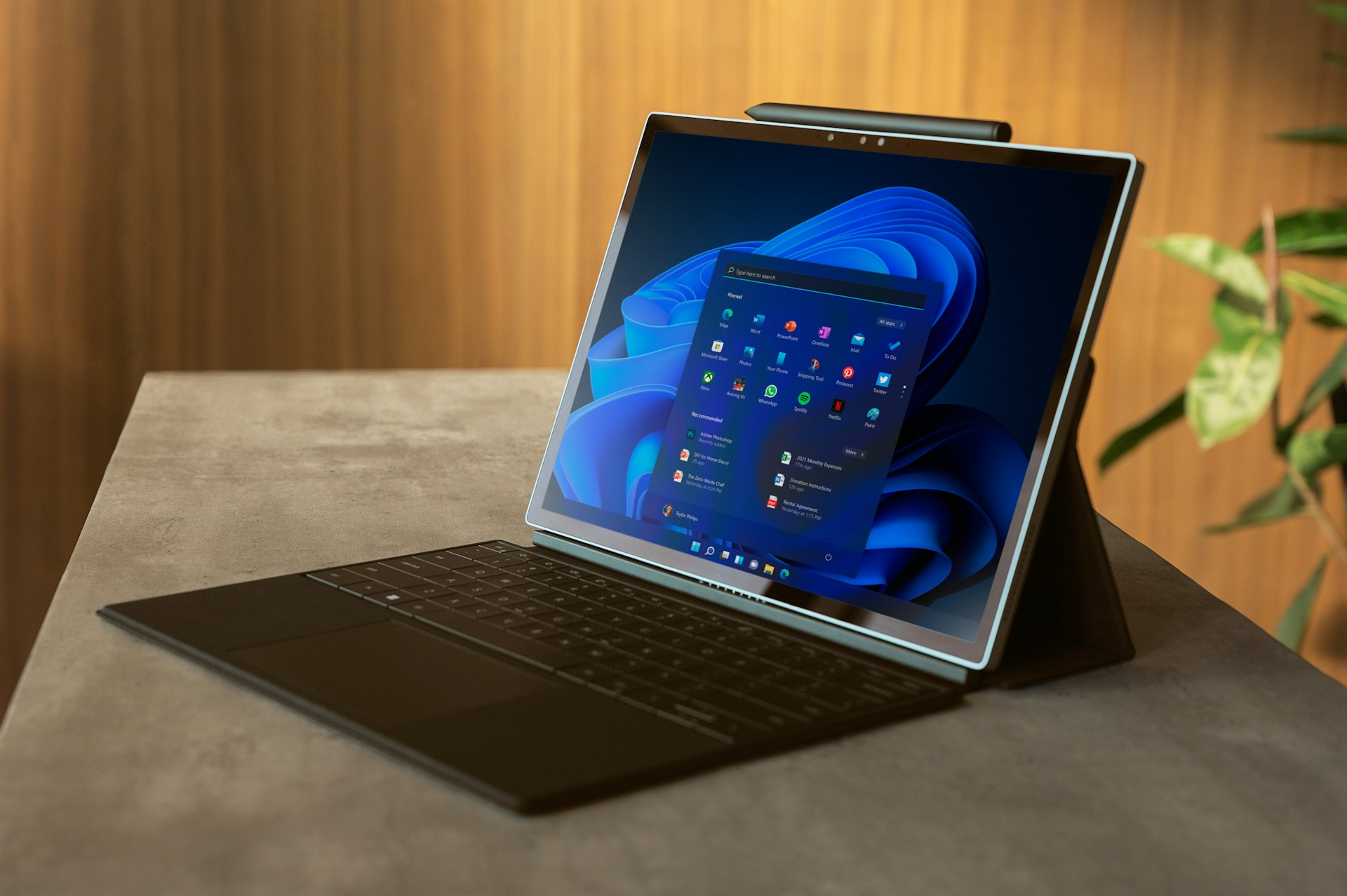
Most Macs that run both should use Tahoe 26.7.1 in October 2026; keep Sequoia 15.8.1 only for an app or hardware reason. Compatibility and decision tables.
macOS Tahoe vs Sequoia in 2026: Differences and Which to Use
If your Mac can run both, use macOS Tahoe 26.7.1 in October 2026. It is the release Apple is actively building on, it is the last macOS that runs on a few Intel Macs, and the rough first months of Tahoe are behind it. Stay on macOS Sequoia 15.8.1 only when something specific holds you there: an app, plug-in or printer driver that does not work on Tahoe yet, a managed Mac your IT team has not cleared, or a machine that already runs well and that you do not want to touch. Sequoia is not abandoned. Apple shipped Sequoia 15.8.1 on 28 September 2026, two weeks after macOS Golden Gate 27 came out. What nobody can promise you is how long that will continue, because Apple does not publish end dates.
This is a rewrite of a post we first published in December 2025. The old version carried benchmark tables, battery hours, crash rates and survey percentages that we cannot source, so we removed all of them. What follows uses only what Apple's own pages and named outlets document, and it says plainly where something is an inference.
Key Takeaways
- Current releases: macOS Tahoe 26.7.1 and macOS Sequoia 15.8.1, both dated 28 September 2026 on Apple's security releases page. Both fix CVE-2026-86950, a CoreGraphics bug Apple says may have been exploited against targeted individuals on iOS versions before iOS 27.
- Default pick: Tahoe, for any Mac that supports it. Sequoia is a reasonable, still-patched choice for a Mac that works fine and has a specific blocker on Tahoe.
- Hardware: Tahoe supports four Intel models and every Apple silicon Mac Apple lists. Sequoia additionally supports about ten older Intel models that Tahoe dropped, and it does not list the newest Macs. The model-by-model table below is built from Apple's two compatibility pages.
- Third option: macOS Golden Gate 27 (released 14 September 2026, 27.0.1 on 28 September) runs only on Apple silicon. For Intel Macs, Tahoe is the end of the line. Our Tahoe 26 versus macOS 27 decision guide covers that choice.
- Support dates are unpublished. Observed: Sequoia got 15.8 on the day macOS 27 launched and 15.8.1 two weeks later. Inferred, not promised: how long that lasts.
- Real differences: Liquid Glass (with a Clear or Tinted setting since 26.1), the new Spotlight, the Apps view that replaced Launchpad, a Mac Phone app, a Games app, and Tahoe-era Apple Intelligence features. We have no trustworthy benchmark showing Tahoe is slower or faster on any chip, and we will not invent one.
- Going back is not free. Moving from Tahoe to Sequoia means erasing the Mac. Have a backup made before you upgrade.
Where Each Release Stands Today
Facts in this table come from Apple's security releases page, checked on 14 October 2026.
| Release | Latest version | Date | What Apple lists |
|---|---|---|---|
| macOS Golden Gate 27 | 27.0.1 | 28 Sep 2026 | 27 itself shipped 14 Sep 2026; 27.0.1 has no published CVE entries |
| macOS Tahoe 26 | 26.7.1 | 28 Sep 2026 | Bug fixes and security updates; the security note is one CoreGraphics fix |
| macOS Sequoia 15 | 15.8.1 | 28 Sep 2026 | The same CoreGraphics fix |
| macOS Sonoma 14 | 14.8.9 | 6 Aug 2026 | Nothing newer on Apple's page |
The two security notes (Tahoe 26.7.1 and Sequoia 15.8.1) describe an out-of-bounds write in CoreGraphics, CVE-2026-86950. The impact line says processing a maliciously crafted file may lead to arbitrary code execution. Apple says it is aware of a report that the issue may have been exploited in an extremely sophisticated attack against specific targeted individuals on versions of iOS before iOS 27. The Apple pages do not say a Mac was attacked. Our 26.7.1 and 15.8.1 update guide goes through that bug in detail.
There is more coming. On 6 October 2026 iThinkDiff reported that Apple seeded release candidates of Tahoe 26.7.2 (build 25G320) and Sequoia 15.8.2 (build 24H219) to developers, described only as important security fixes. Apple has given no release date. Note what that tells you: when Apple readies the next security fix for Tahoe, it is readying a Sequoia version in the same batch.
For the Tahoe line, Apple's what's new in the updates for macOS Tahoe page is the best single timeline. The version numbers that matter for this comparison:
| Tahoe version | Date | Notable for this comparison |
|---|---|---|
| 26.0 | 15 Sep 2025 | Liquid Glass debuts |
| 26.1 | 3 Nov 2025 | Adds the Clear or Tinted Liquid Glass setting |
| 26.2 | 12 Dec 2025 | Edge Light for video calls, AirDrop verification codes, Games library filters |
| 26.4 | 24 Mar 2026 | Safari compact tab bar, Rosetta 2 warnings |
| 26.6 | 27 Jul 2026 | Spotlight index optimized in preparation for macOS 27, per Apple |
| 26.7 | 14 Sep 2026 | Released alongside macOS 27 and Sequoia 15.8 |
| 26.7.1 | 28 Sep 2026 | Current |
Which Macs Run Sequoia, and Which Run Tahoe
Everything here is copied from Apple's two lists: macOS Tahoe 26 compatible computers and macOS Sequoia 15 compatible computers. Apple's pages do not label chips, so the Intel versus Apple silicon split below is our reading of the model names.
Intel Macs
| Mac | Sequoia 15 | Tahoe 26 |
|---|---|---|
| MacBook Pro 16-inch, 2019 | Yes | Yes |
| MacBook Pro 13-inch, 2020, four Thunderbolt 3 ports | Yes | Yes |
| iMac Retina 5K 27-inch, 2020 | Yes | Yes |
| Mac Pro, 2019 | Yes | Yes |
| MacBook Pro 13-inch, 2020, two Thunderbolt 3 ports | Yes | No |
| MacBook Pro 13-inch, 2019 (two or four ports) | Yes | No |
| MacBook Pro 15-inch, 2019 | Yes | No |
| MacBook Pro 15-inch, 2018 | Yes | No |
| MacBook Pro 13-inch, 2018, four ports | Yes | No |
| MacBook Air Retina 13-inch, 2020 | Yes | No |
| iMac Retina 5K 27-inch, 2019 | Yes | No |
| iMac Retina 4K 21.5-inch, 2019 | Yes | No |
| iMac Pro, 2017 | Yes | No |
| Mac mini, 2018 | Yes | No |
If your Intel Mac is in the lower half of that table, Sequoia is the newest macOS it can run, and the comparison is already decided for you. The same list shows why a handful of Intel owners sit in an odd spot: only four Intel models made the Tahoe cut. For them Tahoe 26 is also the last macOS ever, since macOS 27 is Apple silicon only. Apple's macOS 27 page lists MacBook Neo, Apple silicon MacBook Air, MacBook Pro and Mac mini from 2020 on, Apple silicon iMac from 2021 on, Mac Studio from 2022 on and the 2023 Mac Pro. Our Intel Mac final compatibility list covers the details.
Apple silicon Macs
| Mac | Sequoia 15 | Tahoe 26 |
|---|---|---|
| MacBook Air M1 (2020), M2 (2022), 15-inch M2 (2023) | Yes | Yes |
| MacBook Air M3 (2024), M4 (2025) | Yes | Yes |
| MacBook Air M5, 13 and 15-inch | Not listed | Yes |
| MacBook Pro M1 (13-inch 2020, 14 and 16-inch 2021) | Yes | Yes |
| MacBook Pro M2 and M3 (2022, 2023) | Yes | Yes |
| MacBook Pro 14 and 16-inch (2024) | Yes | Yes |
| MacBook Pro M5, M5 Pro and M5 Max | Not listed | Yes |
| MacBook Neo (A18 Pro) | Not listed | Yes |
| iMac 24-inch (M1 2021, 2023, 2024) | Yes | Yes |
| Mac mini (M1 2020, 2023, 2024) | Yes | Yes |
| Mac Studio (2022, 2023, 2025) | Yes | Yes |
| Mac Pro (2023) | Yes | Yes |
Two notes. First, "Not listed" on Sequoia means just that: these Macs shipped after Sequoia was current, so Apple's Sequoia page does not name them. A brand-new Mac will come with Tahoe or later. Second, every Apple silicon Mac that runs Sequoia also runs Tahoe, so for these machines the choice is genuinely open, and for the Intel machines in the lower half of the first table it is not.
You can confirm your own model in a minute. These are read-only commands documented in Apple's tools; they change nothing:
# Which macOS you are on right now
sw_vers

# Model name, model identifier, chip or processor, and memory
system_profiler SPHardwareDataType | grep -E "Model Name|Model Identifier|Chip|Processor Name|Memory"

# What Software Update is currently offering (updates and upgrades)
softwareupdate --list
You can also open our compatibility checker and pick your model.
Support Status: What Apple Says, What We Observe, What We Infer
Support questions are where Mac advice goes wrong, so here are the three categories kept apart.
What Apple states. Apple does not publish end-of-support dates for macOS versions. Its security pages list which releases got which fixes, and nothing more. We could not find an Apple statement setting a date for Sequoia or Tahoe.
What we observe on Apple's pages. Sequoia received 15.8 on 14 September 2026, the day macOS 27 shipped, and 15.8.1 two weeks later. Before that it was on the 15.7 track, up to 15.7.9 on 6 August. In contrast, the newest Sonoma entry on Apple's page is 14.8.9 from 6 August, and Apple published nothing for Sonoma on 14 or 28 September. Apple's third-newest macOS appears to have stopped receiving updates as the newest one launched. The pending 15.8.2 release candidate says Sequoia is still in the rotation as of 6 October.
What we infer. Apple has historically patched the current macOS and the two before it. If that holds, Sequoia keeps getting security fixes until macOS 28 ships in autumn 2027, and Tahoe keeps getting them after that. That is a pattern, not a promise, and a Mac on a version outside that window can be left unpatched for a vulnerability like CVE-2026-86950 with no warning. MacStories' overview of Tahoe says Intel Macs would receive security updates for three more years; we could not find that on an Apple page, so treat it as reported, not confirmed.
The practical difference: on Tahoe you stay inside the support window longer than on Sequoia. On a Mac that can run both, that is a quiet but real argument for Tahoe. Our macOS versions tracker lists the latest release for each macOS and whether it is still receiving updates, using the same inference.
Apple's own release descriptions point the same way. Tahoe's recent entries are labelled "bug fixes and security updates" (26.7.1) or security-only; Sequoia's releases appear on Apple's page as security fixes, and the Eclectic Light reports on them are titled "security updates." Tahoe is where the non-security fixes land.
What Is Actually Different
Liquid Glass and the appearance controls
Liquid Glass is the headline difference. Per MacStories, it applies to the Dock, menus and buttons, makes the menu bar fully transparent, and brings floating sidebars and toolbars to apps such as Notes, Music and Preview. App icons and widgets can use monochrome tint, dark or clear looks, and folders can take custom colors and symbols. Sequoia has none of this: it keeps the flat, opaque look of macOS since Big Sur.
The controls for taming it arrived in stages, and getting the names right matters because older posts (including the first version of this one) invented some:
| Control | Where | Arrived | Notes |
|---|---|---|---|
| Clear or Tinted | System Settings > Appearance | Tahoe 26.1 | Apple: the tinted look increases the material's opacity. Six Colors found the difference slight |
| Reduce Transparency | System Settings > Accessibility > Display | Existing setting; far more useful on Tahoe | Off by default |
| Increase Contrast | System Settings > Accessibility > Display | Existing setting | On Tahoe, turning it on also switches Reduce Transparency on and locks it |
Sources: Apple's note for 26.1 as reported by MacTrast, Six Colors on the setting and its location, and Macworld on Reduce Transparency. In Apple's 26.x update list there are no further Liquid Glass changes after 26.1.
What does that mean? Our earlier post described a "Liquid Glass intensity slider," "material effect presets" and a "Professional Mode." We could not find any of those on Apple's pages or in coverage of 26.x, and have removed them. The one Apple-documented lever is the Clear or Tinted switch, plus the accessibility toggles. A true opacity slider appears in macOS 27, which we describe in how to adjust Liquid Glass transparency in macOS 27. For a deeper settings walk-through on Tahoe, see our Liquid Glass customization and accessibility guide.
One design bug is worth knowing about because it still affects daily use. Tahoe's large window corner radius made the corner resize area hard to grab. 9to5Mac reported that Apple's 26.3 notes first said the resize areas now follow the corner radius, then revised them to say 26.3 does not fix it and that it is a known issue again. We did not find a later Apple note that says it is fixed, so assume it is still there until you see otherwise. Our window resizing guide lists the workarounds.
If you hate the look and the accessibility settings do not satisfy you, that is a legitimate reason to stay on Sequoia, or at least not to hurry.
Spotlight, the Apps view, and the rest of the Tahoe feature list
Per MacStories' overview, the Tahoe additions that Sequoia lacks are:
- Spotlight: actions built on App Intents (compose an email in a single query), quick keys such as "ar" for adding a reminder, search and triggering of the active app's menu items, a native clipboard history, and a browsable list of installed apps sorted into categories.
- Apps instead of Launchpad: Macworld confirms that Launchpad is gone and an Apps view sits where it used to be. It has a search box and sort options but, unlike Launchpad, no custom pages or folders. If you built your muscle memory around Launchpad folders, that is a real loss.
- Phone app: Phone arrives on the Mac, with Call Screening, Hold Assist, voicemail and recents.
- Live Activities: iPhone Live Activities show in the Mac menu bar.
- Games app: a Games app with a Game Overlay for social features and settings like Low Power Mode.
- Control Center: a fully customizable layout that accepts third-party controls.
- Shortcuts: automations on the Mac that fire on triggers such as saving a file or connecting a display.
- Journal on the Mac and Notes export to Markdown.
Later point releases added smaller things, per Apple's list: Edge Light for video calls and AirDrop verification codes in 26.2, a compact Safari tab bar and eight new emoji in 26.4. Those are nice, not decisive.
If you use none of these, Sequoia loses you very little. If you use Spotlight a lot, or you take calls on your Mac through your iPhone, Tahoe is better.
Apple Intelligence
Apple Intelligence is not a Tahoe-only feature. It launched on the Mac with Sequoia 15.1, and Apple's Apple Intelligence support page gives M1 or later as the Mac requirement. That same page states that earlier features are listed for "macOS Tahoe 26 and later", and that the next-generation features need macOS 27. So the realistic picture is:
- Sequoia: Writing Tools, Image Playground, Genmoji and similar, on M1 and later. Intel Macs do not run Apple Intelligence on either version.
- Tahoe: the Sequoia set plus the Tahoe-era additions that MacStories lists: Live Translation in Messages, FaceTime and Phone, and Shortcuts "intelligent actions" that can use on-device models, Private Cloud Compute or ChatGPT.
- macOS 27: the new generation, including the Siri changes. Apple's feature guide on our site goes through each feature and its requirements.
Our first version claimed GPT-5 integration, a 7-billion-parameter on-device model, response times in seconds and percent accuracy gains. None of that is on Apple's pages, so it is gone. If AI features drive your decision, check Apple's page for the exact feature and language you need before you pick a version.
Rosetta 2 and Intel apps
Both Sequoia and Tahoe still run Intel apps through Rosetta 2. The difference is a warning. MacRumors reported that from Tahoe 26.4, launching an app that uses Rosetta 2 shows a popup saying the app will stop working when Rosetta 2 support ends. Per the same article, Apple says Rosetta 2 support ends after macOS 27, with support continuing for older, unmaintained games and for Intel binaries in Linux VMs. We reviewed this in our Rosetta 2 audit guide. The practical meaning: choosing Sequoia does not save an Intel-only app forever, but it does postpone the day it breaks on your Mac. Moving to macOS 27 is the step that is gated by it.
Features that are gone
Launchpad is the confirmed removal on Tahoe. The older post also listed iTunes, Python 2.7, QuickTime 7 Player and a 32-bit layer as Tahoe removals. We could not source those (32-bit apps have not run since Catalina), so they are gone. If a tool matters to you, check the vendor's Tahoe notes.
Tahoe 26.x Problems That Were Real, and Their Status
The first months of Tahoe had problems. Most of what our first version said about them came without a source, so here is what we can document.
| Problem | What is documented | Status |
|---|---|---|
| Electron apps (VS Code, Slack, Discord, others) slowing the whole Mac | AppleInsider traced it to an Electron override of a private AppKit method that clashed with Tahoe's new graphics path and loaded WindowServer. Electron removed the override | Fixed by updating the apps. Apps that had not updated their Electron version stayed affected |
| Window resize corner hard to grab | 9to5Mac, as above | Apple listed the fix for 26.3, then said it was not fixed; no later fix found |
| Unexpected shutdowns on some M5 Macs with content-filtering network extensions | Apple's 26.5.1 note, enterprise-focused | Fixed in 26.5.1 per Apple |
| M5 MacBook Air or Pro failing to join 802.1X Wi-Fi with content filter extensions | Apple's enterprise notes for 26.4.1, as relayed by Eclectic Light | Fixed in 26.4.1 per Apple |
| Configured printers disappearing after an update, network favorites not reconnecting | Apple's 26.4 enterprise fixes, per Mr. Macintosh | Fixed in 26.4 per Apple |
Two honest limits. First, the earlier post gave bug counts, "satisfaction ratings" and crash rates by Mac model. Apple does not publish those and neither did any source we could find. Second, this table is about reported and documented bugs, not about how many people were hit. Plenty of Macs ran Tahoe 26.0 without trouble. Our Electron performance guide has the app-side fixes.
If a bug was fixed in a Tahoe point release, it was fixed in the one you would install today. That is the point: by 26.7.1 the version you get is the seventh minor revision, not the 26.0 that early adopters lived with.
Speed, Memory and Battery: What We Cannot Tell You
The first version of this post claimed percent changes in Geekbench scores, app launch seconds, idle RAM, battery hours and boot times on named Macs, with a "Test Hardware" list and an "average of 10 launches" method. We cannot back those numbers and have removed them all. We looked for a published, reproducible comparison of Sequoia and Tahoe on the same hardware on Apple's pages and in the sources used here and did not find one.
So the honest statement is: we do not know that Tahoe is faster or slower than Sequoia on your Mac, and anyone quoting a precise percentage without a method should be treated with caution. What you can do is measure it yourself in a way that is fair:
- Check Activity Monitor > Memory right after login on a typical day. Look at the Memory Pressure graph and the Swap Used figure, not the "free memory" number.
- Note the battery percentage lost over an hour of your normal work, from the same starting point, on both systems. Do this on a day when Spotlight is not busy re-indexing after an update. Apple's 26.6 note says the Spotlight index was optimized ahead of macOS 27, and we have a separate piece on a hot Mac and battery drain after 26.6.
- Compare like with like: same apps open, same brightness, same network.
The Mac in question matters more than the OS. An 8 GB machine is the one most likely to feel memory pressure on any macOS, and it may feel it a little sooner on a newer system with more services. That is a reasonable expectation, not a measurement. Our 8 GB survival guide shows what to check and trim, and our battery optimization guide covers the Tahoe-specific settings.
Decision by Mac Type
| Your Mac | What we would do | Why |
|---|---|---|
| Intel Mac that cannot run Tahoe (lower half of the Intel table) | Sequoia 15.8.1, and keep it updated | It is the newest macOS the Mac runs. Plan hardware replacement; Apple gives no end date |
| Intel Mac that can run Tahoe (the four models) | Tahoe 26.7.1 if your apps cooperate, otherwise Sequoia | Tahoe keeps you in the support window longer. It is also the end of the road: macOS 27 will not install. Read our Intel final optimization guide first |
| M1 or M2 with 8 GB | Either. If it runs well on Sequoia and you have no need for Tahoe features, staying is defensible. If you want the newer support window, upgrade after a backup and watch memory pressure for a week | We have no measured penalty to quote. The risk is a feeling of slowness that you can test for |
| M1 or M2 with 16 GB or more | Tahoe | Nothing in the sources points to a reason to stay |
| M3, M4, M5 or MacBook Neo | Tahoe or macOS 27 | These are the Macs the newer releases are built around. The Neo and M5 models do not list Sequoia at all |
| Any Mac used for paid deadline work | Move when your key apps say they support Tahoe, not when the calendar says so | See the table below |
Decision by Need
| Need | Sequoia | Tahoe |
|---|---|---|
| Pro apps and plug-ins (audio, video, design) | Safer if a vendor's compatibility page does not yet list Tahoe | Fine once the vendor lists it, and the vendors listing it is the test, not our opinion |
| Older printers, scanners and peripherals | Safer if the maker offers no Tahoe driver | Check the maker's page first; see our macOS 27 printer coverage for the pattern |
| Stability first | A Mac that works, on a version that is still patched, is a stable choice | Tahoe is now at 26.7.1; stable enough for most, but no one can guarantee a bug-free Mac |
| Longest support window | Shorter | Longer (inference) |
| Spotlight actions, clipboard history, Phone app, Games app | Not available | Available |
| Hate the Liquid Glass look | Avoid it entirely | Use Tinted, Reduce Transparency, Increase Contrast |
| Managed or work Mac | Follow your IT department's approved version | Same |
A word on "vendor says it works." Compatibility with a new macOS is something the app's own release notes or support page should state. If an audio plug-in vendor, a VPN client or a virtualization app has no Tahoe statement, assume the answer is "unknown," not "fine." Our 2025 post rated Docker, VirtualBox, VMware Fusion and Adobe apps on each OS. Those ratings were unsourced and have since been overtaken by app updates, so they are gone. Look up the vendor's current page.
The Third Option: macOS 27
macOS Golden Gate 27 changes the question for Apple silicon owners. It shipped on 14 September 2026, with 27.0.1 on 28 September, and runs only on Apple silicon. If your Mac can run it, you are no longer picking between Sequoia and Tahoe; you are picking among three. Tahoe sits in the middle: newer than Sequoia, and the safer waypoint for people who want to wait for 27.1 or later. The short version from our Tahoe 26 versus macOS 27 decision guide: look at your storage, your Intel-only apps and plug-ins, and your tolerance for early-release bugs before you jump.
For this comparison, note that a supported Apple silicon Mac can go from Sequoia straight to macOS 27 without stopping at Tahoe. If you plan to end up on 27 within a few months, you may skip Tahoe. If you plan to stay on 26 for a year or more, install it now rather than later under time pressure.
How to Move Between Them
Sequoia to Tahoe
- Update Sequoia first to 15.8.1, so the Mac is patched while you prepare.
- Make a full backup (Time Machine, plus a clone of anything irreplaceable). Keep it, because it is your way back.
- Check your key apps and plug-ins against the vendors' Tahoe notes.
- Open System Settings > General > Software Update. A Mac that can run Tahoe shows it as an available upgrade. Choose the 26.7.1 entry. Do not click the 27 upgrade by accident if you meant Tahoe; our 26.7.1 update guide shows how to tell the entries apart.
- After the upgrade, give the Mac time to finish background work such as Spotlight indexing before you judge its speed.
- Open System Settings > Appearance and try Tinted if Liquid Glass bothers you.
Tahoe back to Sequoia
Apple does not provide a one-click downgrade. The usual method is to erase the Mac and reinstall Sequoia, then restore data. Two things catch people out: a Time Machine backup made on Tahoe generally cannot be restored into Sequoia, and an Apple silicon Mac needs the right installer and recovery path. This is why we keep saying to back up before you upgrade. Follow the steps in our downgrade from Tahoe to Sequoia guide and the broader macOS downgrade guide, or use the downgrade assistant to see which route applies to your Mac.

Troubleshooting Common Issues
Tahoe is not offered on my Mac
First check the compatibility tables above. If your model is in the "No" column for Tahoe, it is not an error; Apple dropped that model. If your model is listed and Tahoe still does not appear, update to the latest Sequoia (15.8.1) first, then check Software Update again. Our compatibility checker can confirm the model.
The Mac feels slow after upgrading to Tahoe
Wait. After a major upgrade the Mac does background work, including Spotlight and photo analysis, that can run for hours. Then check Activity Monitor for a process that stays near the top of the CPU list. If it is an Electron app, update the app; the Electron problem was in the apps, as covered above. If WindowServer stays high on a multi-display setup, our WindowServer guide goes through the fixes.
An app or plug-in stopped working after moving to Tahoe
Look for an update from the vendor first. If it is an Intel-only app, Tahoe 26.4 and later may show the Rosetta 2 warning, which tells you the app is on borrowed time. If the vendor has no Tahoe support, the clean fix is to go back to Sequoia using the guide above, and to wait.
Liquid Glass is hard to read
Use System Settings > Appearance to switch to Tinted, then System Settings > Accessibility > Display to turn on Reduce Transparency or Increase Contrast. Remember that Increase Contrast also turns Reduce Transparency on and locks it. None of these brings back Sequoia's flat look entirely.
FAQ
Should I use Tahoe or Sequoia in October 2026?
If your Mac runs both, use Tahoe 26.7.1. It gets the non-security fixes, stays in the support window longer and is the last macOS for four Intel models. Stay on Sequoia 15.8.1 only if an app, plug-in, printer or IT policy blocks Tahoe, or if the Mac works well and you do not want any change.
Is Sequoia still getting security updates?
Yes, as of 14 October 2026. Sequoia received 15.8 on 14 September, the day macOS 27 launched, and 15.8.1 on 28 September, which fixes CVE-2026-86950. A Sequoia 15.8.2 release candidate was seeded on 6 October. Apple publishes no end date, so how long this continues is an inference, not a promise.
Which Macs can run Tahoe but not macOS 27?
The four Intel models Tahoe supports: the 16-inch MacBook Pro from 2019, the 13-inch MacBook Pro from 2020 with four Thunderbolt 3 ports, the 27-inch Retina 5K iMac from 2020 and the 2019 Mac Pro. macOS 27 is Apple silicon only, so these are stuck on Tahoe 26.
Will Tahoe make my older Mac slower than Sequoia?
We cannot say, because we found no reproducible published comparison, and we removed the benchmark numbers the first version of this post carried. Check Memory Pressure and Swap Used in Activity Monitor after the Mac settles, and compare battery loss over the same hour of work. If you are unsure, back up first so you can go back.
Can I turn off Liquid Glass in Tahoe?
Not completely. Since Tahoe 26.1 you can pick Clear or Tinted under System Settings > Appearance, and the Accessibility > Display switches Reduce Transparency and Increase Contrast reduce the see-through effects. Apple documents nothing that restores Sequoia's flat look. A real opacity slider arrives only with macOS 27.
Can I go from Tahoe back to Sequoia?
Yes, but you must erase the Mac and reinstall, and a backup made on Tahoe generally cannot be restored into Sequoia. Take a backup on Sequoia before you upgrade, and keep it. Our downgrade guide and the downgrade assistant tool cover the Apple silicon and Intel routes.
Is Apple Intelligence only on Tahoe?
No. It started on the Mac with Sequoia 15.1 and needs an M1 or later. Tahoe adds features such as Live Translation and Shortcuts intelligent actions, and macOS 27 adds the next generation. Check Apple's Apple Intelligence support page for your language and Mac before choosing a version for that reason.
Do I need to install Tahoe before macOS 27?
No. Supported Apple silicon Macs can go from Sequoia to macOS 27 directly. Install Tahoe only if you want to stay on 26 for a while, or if you want a middle step before committing to a first-year release.
Conclusion
The old answer to Tahoe versus Sequoia was "Sequoia, until Tahoe settles." In October 2026 Tahoe has had seven minor releases, its worst early bugs were fixed or traced to third-party apps, and it is the version where Apple's fixes and the longest support window sit. So for a Mac that runs both: Tahoe 26.7.1 after a backup, with Tinted or the accessibility settings if you dislike the look. Keep Sequoia 15.8.1 when a vendor has not caught up, when an IT policy says so, or when the Mac is fine and you value not changing anything. For Intel Macs that cannot run Tahoe, Sequoia is simply the ceiling, and for the four that can, Tahoe is the last stop. Apple silicon owners now also have macOS 27 as a third door, covered in our decision guide.
Whichever you choose, install the patch that matches it: Tahoe 26.7.1 or Sequoia 15.8.1, and watch for 26.7.2 and 15.8.2 when Apple releases them.
What we could not verify, for the record: how long Sequoia will be patched, whether the window resize bug was ever fixed in a later 26.x, and any measured speed, memory or battery difference between the two systems.
Related reading: Tahoe 26 vs macOS 27 decision guide, 26.7.1 and 15.8.1 update guide, downgrade Tahoe to Sequoia, Liquid Glass customization guide, Intel Mac end-of-era list.